Arrays
A library wing with numbered shelves. Shelf 0, shelf 1, shelf 2, all the way down the wall. Every book sits at one address. The librarian never has to search — if you ask for shelf 47, she walks straight there. That walk takes the same time whether the wing has 50 shelves or 50,000. This is the array, the oldest and still the fastest container in computing.
The shape goes back to FORTRAN in 1957, the first programming language wide enough to be used outside one lab. John Backus and his team at IBM needed a way for scientists to talk about lists of numbers without writing assembly. They picked the array because it matched what the hardware already did. RAM is itself a giant numbered shelf — every byte has an address, and the CPU can jump to any address in one step. An array is just the language admitting what the machine has been doing all along. Almost 70 years later, every inner loop in NumPy and PyTorch is still walking an array, because nothing beats the math of "address plus index times item size."
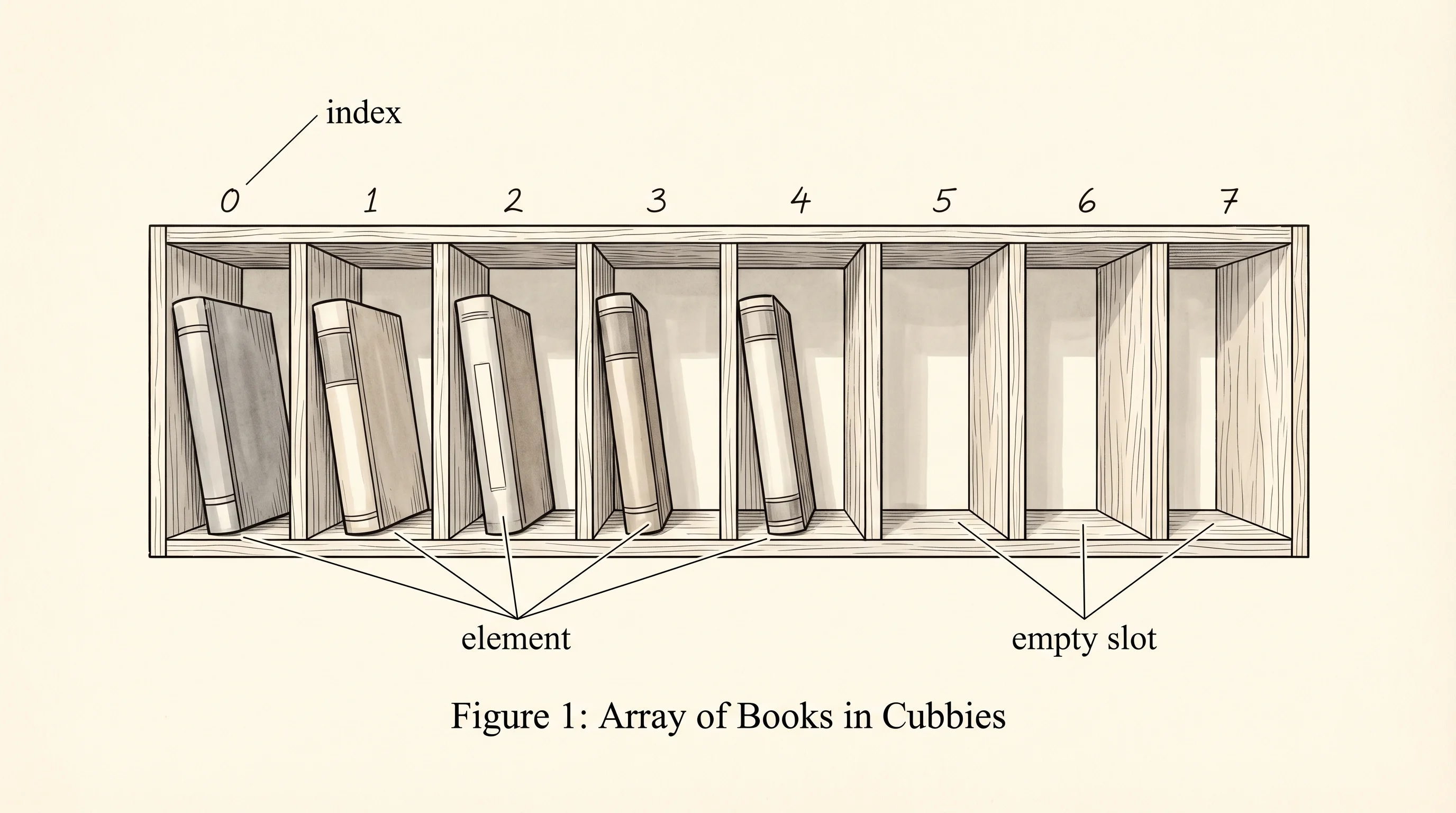
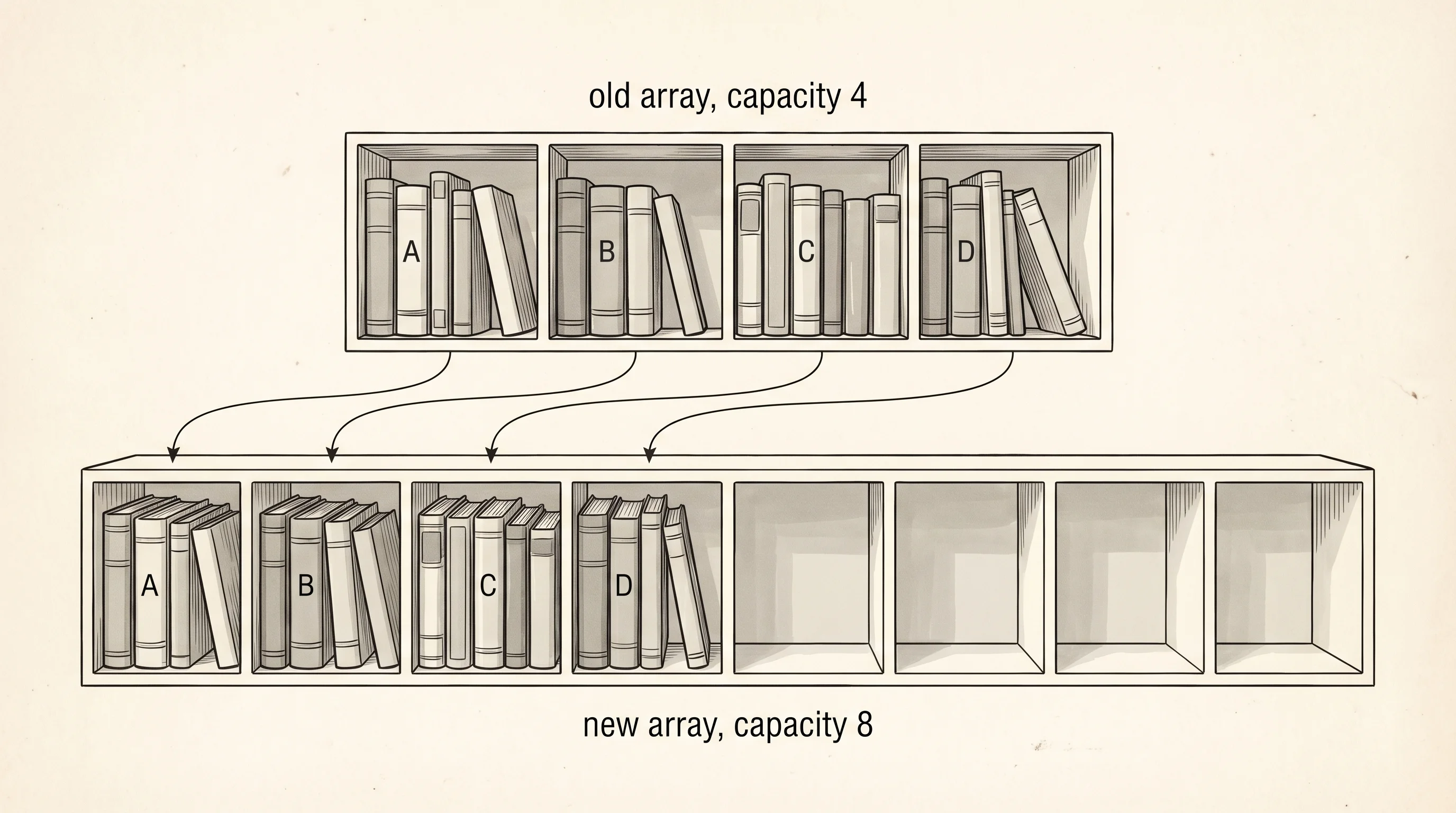
The catch is the shelves are built into the wall. If the wing was constructed for 8 shelves and a 9th book shows up, the librarian cannot conjure a new shelf out of thin air. The library has to rent a bigger building across the street, copy every book over, and abandon the old wing. That move is expensive. It is also the single trick that makes Python's list feel like it grows for free.
Build the wing yourself before you trust the built-in. Open array.py in your venv and type this out by hand. No copying.
class MyArray:
    def __init__(self, capacity=2):
        self.capacity = capacity
        self.length = 0
        self.data = [None] * capacity

    def get(self, i):
        if i < 0 or i >= self.length:
            raise IndexError(i)
        return self.data[i]

    def set(self, i, v):
        if i < 0 or i >= self.length:
            raise IndexError(i)
        self.data[i] = v

    def append(self, v):
        if self.length == self.capacity:
            self._resize(self.capacity * 2)
        self.data[self.length] = v
        self.length += 1

    def _resize(self, new_capacity):
        bigger = [None] * new_capacity
        for i in range(self.length):
            bigger[i] = self.data[i]
        self.data = bigger
        self.capacity = new_capacity

    def show(self):
        slots = [str(x) if x is not None else "_" for x in self.data]
        print(f"len={self.length} cap={self.capacity} -> [{', '.join(slots)}]")
The data field is the wing. Capacity is how many shelves were built. Length is how many actually hold a book. The other slots show as _ because they are empty shelves waiting for the next move-in.
Append five books and watch the wing reshape itself.
arr = MyArray()
arr.show()
for book in ["A", "B", "C", "D", "E"]:
    arr.append(book)
    arr.show()
Run it. The output traces every move.
len=0 cap=2 -> [_, _]
len=1 cap=2 -> [A, _]
len=2 cap=2 -> [A, B]
len=3 cap=4 -> [A, B, C, _]
len=4 cap=4 -> [A, B, C, D]
len=5 cap=8 -> [A, B, C, D, E, _, _, _]
Notice the capacity jumps. Two, then four, then eight. The wing doubles every time it fills. Why double instead of add one shelf? Because adding one shelf at a time means moving the whole library every single append. Doubling means most appends pay zero cost — they just drop a book on an empty shelf — and only the rare resize pays the big cost. Smear that big cost across all the cheap appends and the average works out to constant time per append. Computer scientists call this "amortized O(1)," and it is the reason dynamic arrays beat linked structures in almost every real workload.
Now meet Python's built-in. Type this in the same file.
py_list = []
print(f"start: {py_list}")
for book in ["A", "B", "C", "D", "E"]:
    py_list.append(book)
    print(f"after append({book}): {py_list}")
Output:
start: []
after append(A): ['A']
after append(B): ['A', 'B']
after append(C): ['A', 'B', 'C']
after append(D): ['A', 'B', 'C', 'D']
after append(E): ['A', 'B', 'C', 'D', 'E']
Same wing, same trick, hidden behind one method. CPython grows its lists with a similar overallocation rule, written in C in the file Objects/listobject.c. Python's list also gives you indexing in brackets, slicing with colons, sorting, reversing, insertion at any spot, and a hundred other moves you would have to write by hand on MyArray. The price is that you stop being able to see what the structure costs. The reason you wrote MyArray first is so you never forget: under the friendly [] syntax, the librarian is occasionally moving the entire wing across the street.
Question: in the trace above, between which two appends did the wing actually move buildings? Look at the capacity column.
Answer: between the second and third append, capacity jumped from 2 to 4. That is the move. Same thing again between the fourth and fifth — capacity jumped from 4 to 8. Every other append was free.
Arrays are fast because they live in one contiguous block. That same fact is what makes them painful: every resize copies everything. If the books arrived one at a time and you wanted each one to find a home without moving its neighbors, you would need a different shape — one where each book carries its own little sign pointing to the next.