Setting up Python
Python is a set of power tools. Before you can use them, you need a workbench. A virtual environment is that workbench. One project, one workbench, one set of tools that cannot fall off and hit you in the face.
Guido van Rossum wrote the first version of Python over the Christmas break of 1989 at a lab in Amsterdam called CWI. He had been using a language called ABC for years and found it rigid. He wanted something friendlier. He named it after Monty Python's Flying Circus because he was in a Monty Python mood that week. The first public release was in 1991. For the next 20 years people installed packages directly into their system Python and constantly broke their own machines. The modern venv tool shipped with Python 3.3 in 2012 to fix exactly that pain.
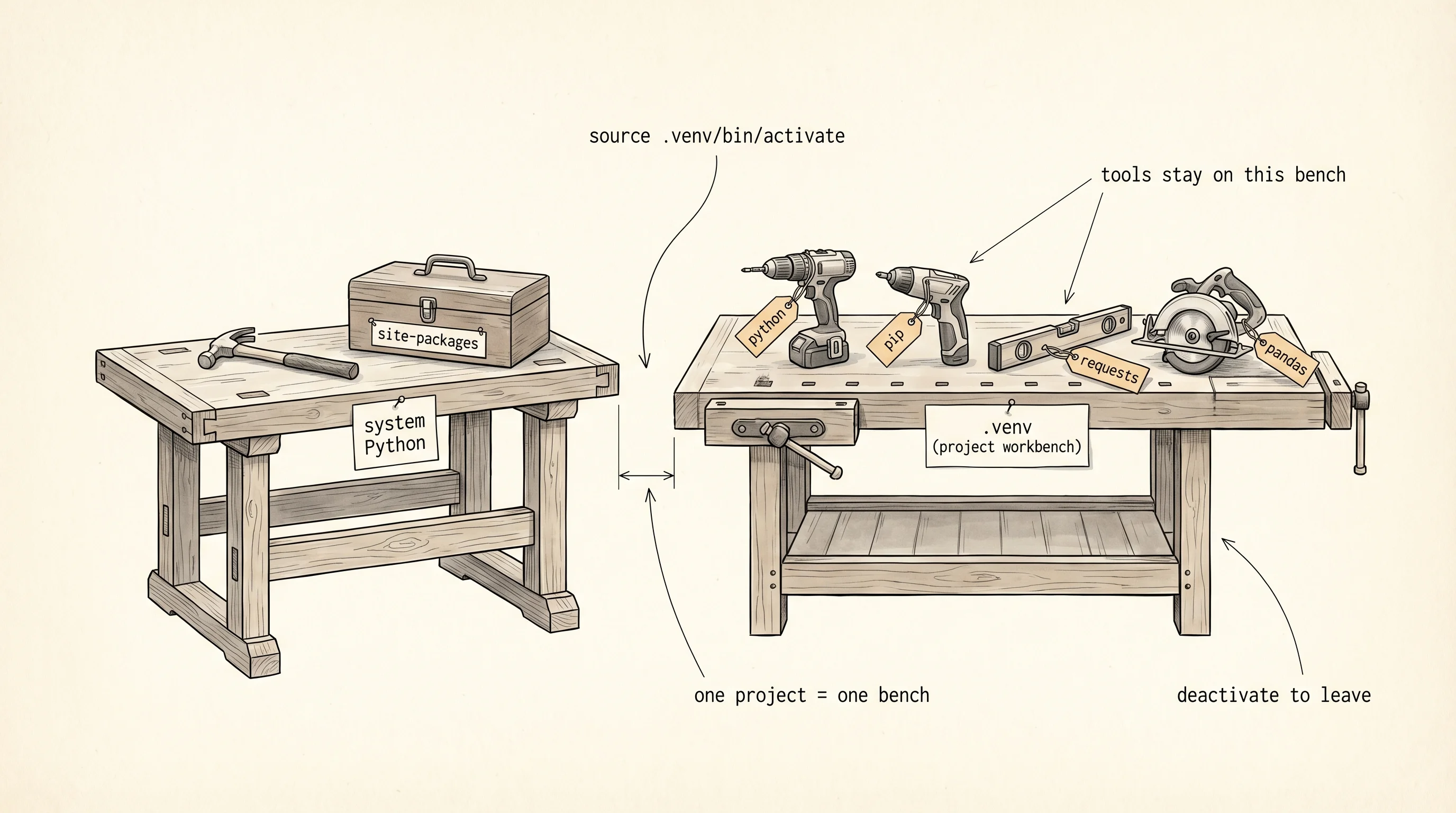
Start by checking whether Python is already on your machine. Open a terminal and run the check that matches your OS.
python3 --versionIf that prints something like Python 3.12.2, you are ready. If it says "command not found," install Python from https://www.python.org/downloads/ or install it through Homebrew with brew install python.
py --versionIf that prints a version, you are ready. If it says it is not recognized, install Python from https://www.python.org/downloads/ and make sure you check the box labeled "Add python.exe to PATH" during install. On Windows the canonical launcher is py, not python.
Now make a workbench. Create a folder for this whole learning journey and step into it.
mkdir ~/learning-python
cd ~/learning-python
python3 -m venv .venv
source .venv/bin/activate
mkdir $HOME\learning-python
cd $HOME\learning-python
py -m venv .venv
.venv\Scripts\Activate.ps1If PowerShell refuses to run the activation script, run Set-ExecutionPolicy -Scope CurrentUser RemoteSigned once and try again. That one-time unlock is how Microsoft guards against random scripts on a fresh machine.
Once activated your prompt shows (.venv) at the front. That is the workbench talking. Any python you run now comes from the venv, not from the system. Write a tiny program to prove it.
import sys

print("Python version:", sys.version.split()[0])
print("Executable:", sys.executable)
print("Hello from the workbench.")
Save that as hello.py and run it with python hello.py. The Executable line points at a path inside .venv/. Now deactivate the venv with the command deactivate, run the same file with python3 hello.py on macOS or py hello.py on Windows, and watch the Executable line change to the system Python. Same code, different workbench, different tools.
Python version: 3.12.2
Executable: /Users/you/learning-python/.venv/bin/python
Hello from the workbench.
Reactivate the venv before the next lesson. From here on, every lesson assumes you have that (.venv) prefix in your prompt.
You can run code now. You still have nowhere to put the data that code produces. The next lesson builds the shelves.